Some students may have difficulties when using our registration app.
So here is a brief instruction for you:
1) When you try to get to the app from the web page
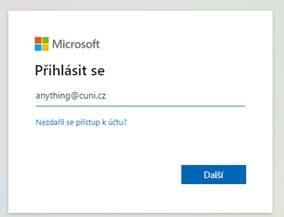
and the Microsoft window appears and you need a login, you can write or copy this: anything@cuni.cz
This is not e-mail address, only information for Microsoft, that you want to be sent further to the Charles University apps.
Do not write faculty ending here! Just the @cuni.cz (Writing the faculty ending is the main reason why people cannot get to the app.)
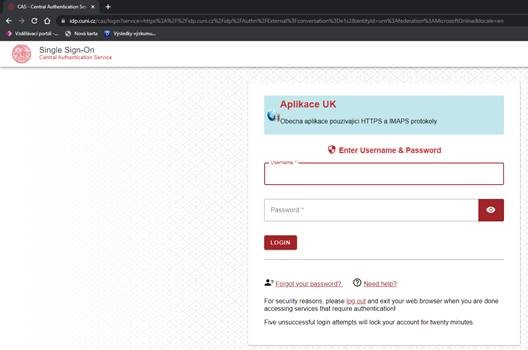
2) In the second step, fill in your University personal number and password. It is the same as if you log in to the SIS:
3) And finally you will see the title page of our registering app:

Click on the New reservation.
You can choose a service and a counsellor and also a date.
You can see your past reservations and evaluate the consultations.
If it does not work for you, please, write to
CU Point
Charles University
Celetná 13
116 36 Prague 1
Czech Republic
Phone: +420 224 491 850
E-mail: